
Complete your field forms on mobile, even offline
Tickee is the mobile app and back office that connect your field teams to your business systems. Custom forms, branded PDF reports, configurable dashboards.
7 h
On average, a field agent spends 7 hours a week on low-value tasks
Loose sheets, readings re-typed by hand, photos lost in phones, reports sent days later: paper slows down the whole process.
Source: 2025 Salesforce survey of 350 field agentsA guided form, step by step
Job sheets, checklists, quality inspections, rounds: each paper document becomes a guided, step-by-step form.
Custom forms
Required fields, lists, checkboxes and conditions: each form follows your current documents.
Start from a QR code, NFC tag or barcode
The technician opens the right job by scanning the equipment or location.
Attached photos
Photos taken in the app stay linked to the job.
On-screen signature
The customer or supervisor signs directly on the smartphone or tablet.
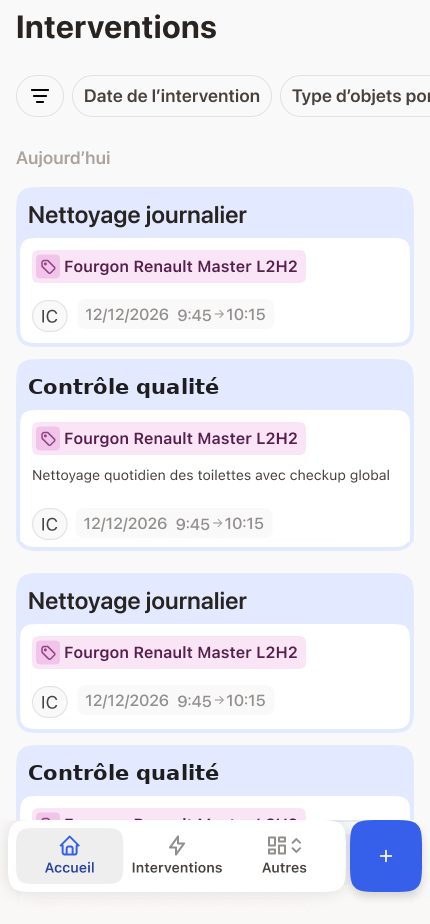
Example: an agent fills in a vehicle inspection, on phone or tablet.
No network coverage? Your teams carry on.
Basement, cold room, workshop, remote site: Tickee works without a connection. Everything is saved on the device and synchronises automatically once network coverage returns. Tickee was founded in 2023 in French Polynesia, where there is no mobile coverage on many islands and at sea. This is why the application was designed to work offline from the outset.
Track activity in dashboards you build yourself
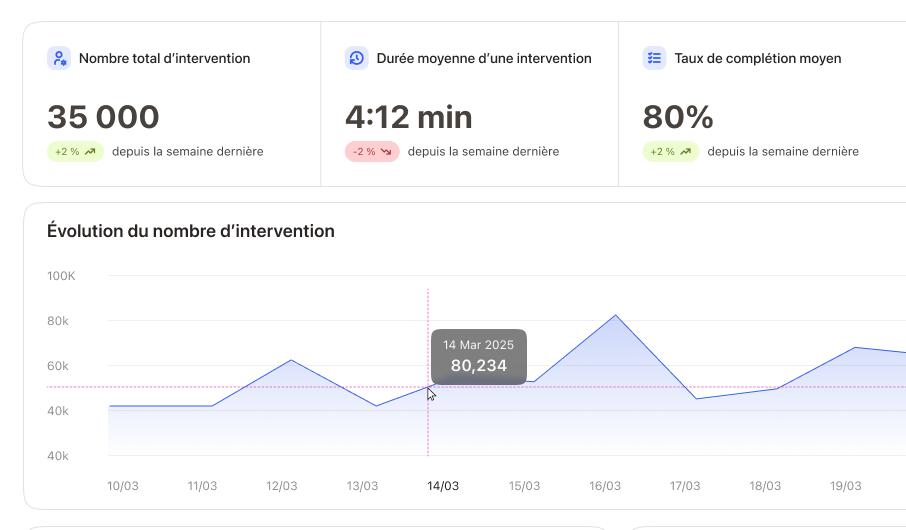
Jobs reach the office in real time, with photos and signatures. You choose which indicators to track and how they are displayed, without code.
Custom dashboards
You choose indicators, filters and charts based on the data collected in the field.
Forms editable without code
Add a field or a step and the new version reaches the mobile devices.
Teams and permissions
Organise your field teams and set each person’s permissions: who fills in which forms and who can view which data.
Example: adding an indicator to the dashboard, without development.
Tickee does not replace your ERP: it feeds it with field data
Your ERP and CMMS manage office operations. Field data often reaches them late, on paper or through re-entry. Tickee collects this data on mobile and exchanges it with your systems in both directions.

Example: a customer list from the ERP / CRM arrives in the form, then the completed job data goes back to the ERP / CRM.
PDF reports generated in your own template
At the end of each job, Tickee produces the report ready to send to your customer. One-click CSV export.
Your document template
Layout, section order and displayed fields follow your template.
Your logo and colours
Every report carries your branding, with no manual editing.
Automatic delivery to the right recipients
As soon as it is validated, the report is emailed to the customer, site or department concerned, according to rules you define.
Email alerts on a field
A specific answer, such as “Non-compliant” or an out-of-range value, triggers an immediate alert to the designated manager.
Demo examples: fictitious companies and data.
Calculate the time Tickee can save your teams
Answer three questions, the result updates instantly.
Assumption: 10 minutes saved per job (data entry, re-entry and report sending), 220 working days per year.
Time saved per year
1,470 h
i.e. 0.9 full-time equivalent
Maintenance reports, quality checks and cleaning records
The steps to set up Tickee
Demo
You show us your paper documents, we show you what they become in Tickee.
Configuration
We create your first forms with you, based on your existing documents.
Start
We support your teams as they get started with the application and complete their first forms on mobile.
Frequently asked questions
No. The app works offline and sends the data as soon as the connection is restored.
On smartphones and tablets in the field, and in a web browser in the office.
Yes, without code. Our team can also set them up with you.
No. Tickee connects to them to retrieve data and send back the data collected in the field.
Pricing depends on your project. We send you a proposal after the demo.
Any organisation that uses paper in the field: manufacturing, maintenance, cleaning, logistics, local authorities, security, energy, automotive.
Request a demo using your field documents
During a demo, we show you what they become in Tickee, on mobile and at the office.